

Custom CRM Application Development Introduction
Build Better Customer Relationships with a CRM Designed Around Your Business
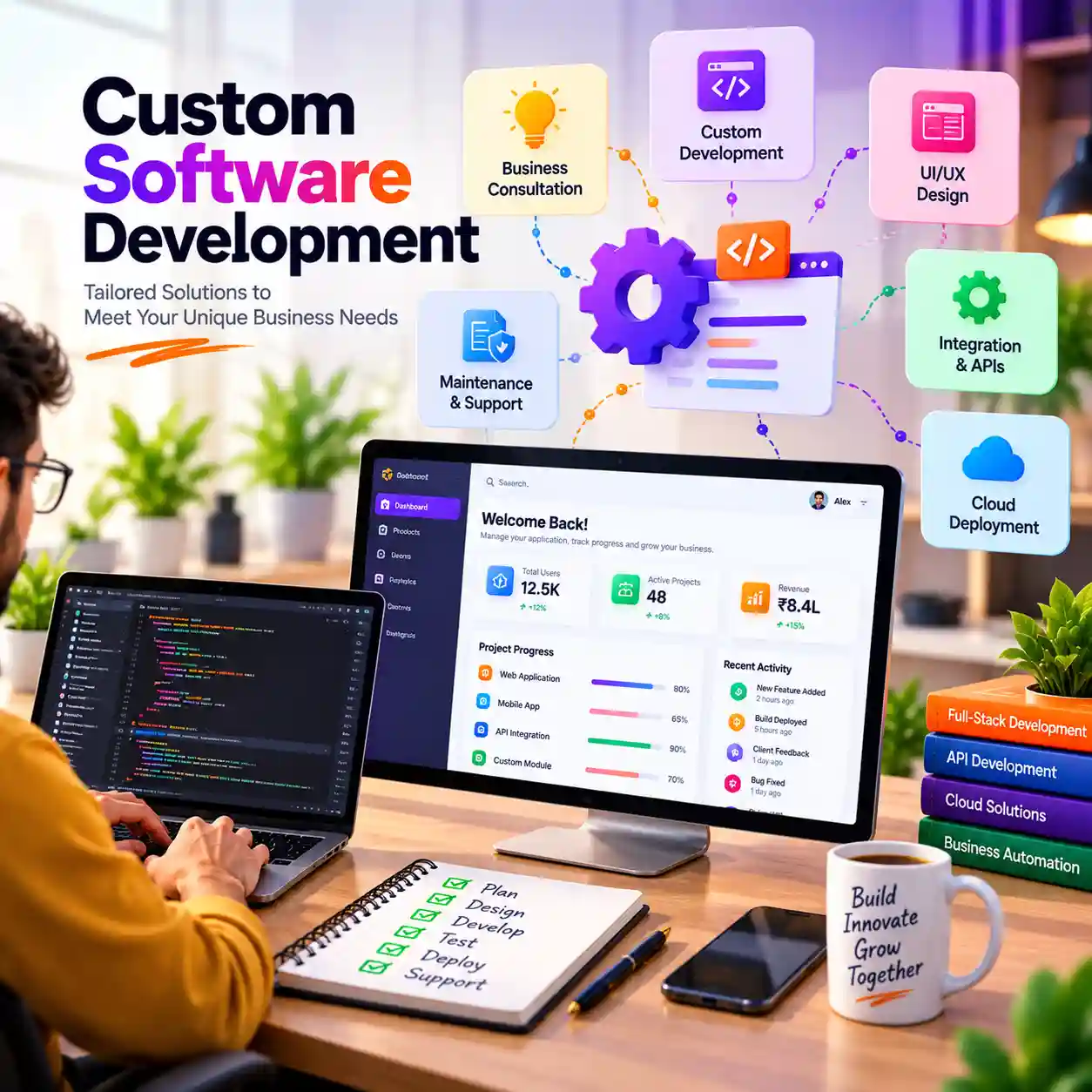
A CRM That Fits Your Business
Customer relationships are central to every growing business. As enquiries, sales conversations, follow-ups and customer records increase, managing them across spreadsheets, inboxes and disconnected tools can become difficult.
A Customer Relationship Management (CRM) application provides a structured way to organize customer information and manage interactions throughout the customer journey. It can help teams track enquiries, leads, communication history, follow-up activities, opportunities and customer-related tasks in one application.
Of2On helps businesses plan and develop custom CRM applications around their sales process, service model, team structure and operational requirements. The project begins by understanding how enquiries arrive, how leads are assigned, how sales teams follow up, what information needs to be recorded and which reports are useful to management.
Depending on approved scope, a CRM solution may include lead management, contact management, sales pipelines, task reminders, communication history, customer support workflows, reporting, role-based access and integrations with supported business systems.
A custom CRM should reflect the way a business works. Screens, fields, stages, permissions, notifications and reports should be planned around real user needs rather than forcing teams into an unsuitable workflow.
From requirement analysis and interface planning to development, testing, deployment preparation and handover, Of2On focuses on building a maintainable CRM application aligned with agreed requirements.
Whether you are organizing incoming leads, improving visibility across sales activities or replacing spreadsheet-based customer tracking, Of2On can help define a practical CRM development scope.
Custom CRM Software for Complete Lead Control
Organize Enquiries, Track Opportunities and Coordinate Customer Communication
Keep Customer Work in View
When customer information is spread across spreadsheets, email threads and individual employee records, it can be difficult to understand the complete history of an enquiry or opportunity. Teams may have limited visibility into lead ownership, follow-up status and the next action required.
A custom CRM application can bring these activities into a structured workspace. Customer profiles can hold relevant contact details and interaction history, while lead records can move through stages that reflect the organization’s sales process.
Of2On approaches CRM development by understanding the customer journey, lead sources, sales stages, team responsibilities and reporting requirements. This helps define suitable features rather than adding unnecessary complexity.
Depending on approved scope, the application may include enquiry capture, lead assignment, contact management, sales pipelines, follow-up tasks, reminders, notes, communication records, customer support activities and management reports.
The system can be planned with role-based access so administrators, managers and sales representatives can work with records and actions relevant to their responsibilities. Email, messaging, telephony or third-party integrations need assessment for technical availability, provider requirements and customer consent obligations.
The goal is to give teams a consistent way to record customer interactions, review opportunity status and coordinate next steps in the customer relationship.
CRM Solutions for Different Business Requirements
Customer management workflows for sales, service and business teams.
Sales CRM
Lead Management
Customer Support CRM

Real Estate CRM

Education CRM
Healthcare Admin
Recruitment CRM
B2B Customer CRM
Service Business CRM
Retail Customer CRM
Marketing CRM
Enterprise CRM
Custom CRM Development Services
Explore services that support your customer management workflow.
Essential Features of a Custom CRM Application
Capture and organize enquiries with relevant details such as source, status, assigned user and next action according to the agreed workflow.
Maintain structured customer and business contact records, including information authorized users need to manage relationships.
Track opportunities through business-defined stages so teams can review status, ownership and next steps.
Create tasks, due dates and reminders to help users coordinate planned customer follow-ups.
Record relevant customer interactions and notes subject to approved communication channels and privacy requirements.
Assign leads and customer records to appropriate users or teams based on the organization’s working structure.
Organize customer issues, requests, status updates and ownership where support management is included in CRM scope.
Present summaries of available lead, sales and customer activity data using agreed filters and access permissions.
Define which users can view, create, update, assign, approve or export CRM information according to responsibilities.
Configure relevant record fields, statuses and validation rules around the organization’s customer management process.
Plan transfer of approved customer and lead records from existing sources, including field mapping and validation.
Assess supported APIs and external systems that may exchange CRM information, subject to provider access and technical feasibility.
Custom CRM Application Development Services We Provide
From CRM planning and development to integration and maintenance.
CRM Consulting and Analysis
Review journeys, leads and team needs.
Custom CRM Development
Build workflows around your business.
Lead and Contact Management
Organize records, owners and statuses.
CRM Communication Links
Assess supported channels and APIs.
CRM Maintenance and Support
Discuss updates and workflow changes.
CRM Mobile Application
Plan access for users on the move.
CRM Setup and Data Migration
Plan transfer, checks and release.
CRM Reports and Analytics
Organize reports from recorded data.
Why Choose Of2On for Custom CRM Development
Understand Customers
We begin by understanding how enquiries arrive, how customers are handled and how sales or service teams manage interactions.
✓
Process-Based CRM
We plan lead stages, assignments, follow-ups and customer records around the organization’s operating model.
Strategy First
Scoped Features
We identify CRM capabilities relevant to the business rather than adding unnecessary screens and processes.
</>
Data and Access
We consider customer information, data relationships and role-based permissions during application planning.
🖍️
Aa
🖼️
Integration Review
We review technical availability and provider requirements before proposing connections to communication channels or other systems.
HTML
CSS
JS
✓
Test and Validate
We plan checks for lead workflows, customer records, permissions, reports and agreed integrations before release.
✓
Maintainable CRM
We consider documentation, administration and future changes as part of the CRM project scope.
Strategy First
Custom CRM Development Highlights
Key capabilities across your CRM project.
Build
Innovate
Grow
Innovate
Grow
Lead Assignment
Follow-Up Tasks
Customer History
Team Roles
User Permissions
User Handover
Our Custom CRM Application Development Process
From customer journey analysis to a working CRM application.
Customer Discovery
Understand the organization’s customer journey, sales or service process, users and current challenges. Discuss lead sources, workflows, data, communication and acceptance needs.
Customer Discovery
Understand the organization’s customer journey, sales or service process, users and current challenges. Discuss lead sources, workflows, data, communication and acceptance needs.
Learn more
CRM Architecture
Plan modules and application structure. Define lead, contact and account records, pipeline stages, roles, database relationships, integrations and migration considerations.
CRM Architecture
Plan modules and application structure. Define lead, contact and account records, pipeline stages, roles, database relationships, integrations and migration considerations.
Learn more
CRM UI Design
Plan dashboards, navigation, lead and contact profiles, pipeline views, follow-up tasks and reports. Review the designs against the needs of CRM users.
CRM UI Design
Plan dashboards, navigation, lead and contact profiles, pipeline views, follow-up tasks and reports. Review the designs against the needs of CRM users.
Learn more
CRM Development
Implement agreed CRM features and business rules, including customer and lead records, assignments, tasks, notes, permissions, reports and administration tools.
CRM Development
Implement agreed CRM features and business rules, including customer and lead records, assignments, tasks, notes, permissions, reports and administration tools.
Learn more
Data and Integration
Assess source data and supported systems. Plan field mapping, data cleaning, migration, validation, duplicate handling, API connections and integration checks.
Data and Integration
Assess source data and supported systems. Plan field mapping, data cleaning, migration, validation, duplicate handling, API connections and integration checks.
Learn more
Testing and Quality
Validate lead creation, assignment, contact records, pipeline stages, permissions, reports, filters and supported integrations against agreed acceptance criteria.
Testing and Quality
Validate lead creation, assignment, contact records, pipeline stages, permissions, reports, filters and supported integrations against agreed acceptance criteria.
Learn more
Release Handover
Prepare environment and initial data checks, walkthroughs where included, documentation, maintenance responsibilities and future enhancement planning.
Release Handover
Prepare environment and initial data checks, walkthroughs where included, documentation, maintenance responsibilities and future enhancement planning.
Learn more
Custom CRM Application Development Overview
Understand CRM features, workflows, integrations and implementation.
Customer Relationship Management (CRM) software helps organizations manage information and interactions related to prospective and existing customers. A CRM application can provide a structured place to record enquiries, maintain customer profiles, coordinate follow-ups, monitor sales opportunities and review customer-related activity.
A custom CRM application is planned around how a business attracts, communicates with and serves its customers. The objective is to define the records, workflows, permissions and reports employees need, then build an application that supports agreed requirements.
The first stage is CRM requirement analysis. Different businesses manage customer relationships in different ways. A sales organization may focus on lead capture, opportunity stages and follow-up tasks. A service business may need customer history, service requests and issue tracking. A real estate business may need property enquiries, agent assignment and viewing follow-ups. Scope should reflect the actual customer journey.
Lead management is a common CRM capability. It can organize incoming enquiries with details such as source, contact information, status, assigned user and next action. Lead stages should be defined with the business so users understand what each status means and when a record should move forward.
Contact and account management provides a structured way to maintain customer and organization records. Depending on requirements, records may include contact details, organization information, notes, interaction history and relationships between contacts and accounts. Access to personal information should be limited to authorized users and handled according to applicable privacy requirements.
Sales pipeline management helps teams review opportunities through business-defined stages. Each opportunity may include an owner, expected next action, relevant customer details and status. Pipeline reports should reflect the data recorded in the application and should not be presented as guaranteed sales forecasts.
Follow-up tasks and reminders can help users coordinate planned activities. A CRM may support task assignment, due dates, notes, status updates and notification preferences. Notification channels depend on application scope and available services.
Communication history can help authorized users review relevant customer interactions. Depending on approved implementation, a CRM may store notes or connect to supported email, messaging or telephony services. External communication integrations require provider access, technical assessment and appropriate customer consent. Do not assume every channel can be connected automatically.
Lead assignment and team management help organizations distribute enquiries among representatives or departments. Assignment rules may be manual or based on approved business criteria. Ownership and reassignment rules should be understandable to administrators and users.
Customer support workflows may be included when a business needs to record issues, service requests, ownership, status and resolution notes. A support module should define how requests are created, prioritized, assigned and closed.
CRM reports and dashboards can summarize lead sources, pipeline stages, follow-up activity, team workloads and other information available in the system. Reports should use clear definitions and filters so users understand what each metric represents. Access to reports and exports should follow permission rules.
Custom fields and business rules allow the CRM to reflect information and stages specific to an organization. These may include industry-specific customer details, enquiry categories, qualification fields, status rules and validation requirements. Customization should be planned to avoid unnecessary complexity.
Role-based access control matters because employees may need different access levels. Administrators, managers and representatives may have different permissions for viewing, creating, editing, assigning or exporting records. Permission rules should be documented and tested with representative roles.
Database design provides the structure for customer, lead, account, task and opportunity records. Relationships should be planned so information remains consistent. Data retention, backup and recovery responsibilities should also be considered.
Data migration may be required when moving from spreadsheets or an existing CRM. Identify source fields, map them to the new structure, handle duplicates and validate imported records. A sample migration and reconciliation can help identify issues before a larger transfer.
Integrations may connect a CRM with other systems where supported interfaces are available. Define which system owns each data field, how authentication works, how often information is synchronized and how errors are handled. Third-party integrations depend on provider APIs, permissions, pricing, availability and technical requirements.
Mobile access may help employees review customer information or assigned tasks away from their desks. Plan the mobile experience around actual user roles and devices in scope. A responsive web application and a separate mobile application are different implementation choices.
Security considerations include authentication, authorization, input validation, secure configuration, appropriate logging, dependency updates and careful handling of customer information. Access reviews, backups, recovery responsibilities and maintenance procedures should be planned with the organization. No software system should be described as completely secure.
Testing should cover individual CRM modules and end-to-end workflows. For example, a lead may be captured, assigned, qualified, moved through opportunity stages and followed up with tasks. Verify that records, permissions, notifications and reports follow agreed business rules.
Deployment planning should include target environment, configuration, initial data, user access, release sequence and rollback considerations where applicable. The organization and development provider should agree on responsibilities for infrastructure, backups, monitoring, updates and ongoing support.
User adoption matters. Employees need to understand how to enter customer information, update lead status, record interactions and complete follow-up tasks. Training materials or walkthroughs may be included in project handover when agreed.
A CRM application does not automatically guarantee more sales, higher conversion, improved retention or increased revenue. Outcomes depend on business processes, customer data, implementation decisions, user adoption and ongoing management.
Of2On approaches custom CRM development by understanding the customer journey and business requirements before planning modules, data structures, permissions and integrations. Depending on agreed scope, services may include CRM consulting, application architecture, custom module development, database design, supported integrations, data migration, testing, deployment preparation, documentation and maintenance discussions.
The objective is to build a CRM application that reflects the organization’s customer management process and gives its teams a structured way to manage relationships.
Custom CRM Project Planning Checklist
Important areas to confirm before CRM development begins.
Business Objectives
Customer Journey
Lead Sources
Customer Data
Lead Contact Needs
Pipeline Stages
Lead Ownership Rules
Follow-Up Tasks
Interaction History
Support Workflows
Team Roles
Custom Fields
CRM Reports
User Permissions
Data Migration
API Integrations
Privacy Needs
Testing Criteria
Deployment Roles
Future Enhancements
Custom CRM Development Consultation
Discuss lead management, customer workflows and CRM requirements with Of2On.
Plan Customer Workflows and Build a Connected CRM
Discuss sales pipelines, customer records and supported integrations with our team.